
Building a 4-GPU EPYC Workstation on DDR4
Oct 6, 2026 · 5 min read
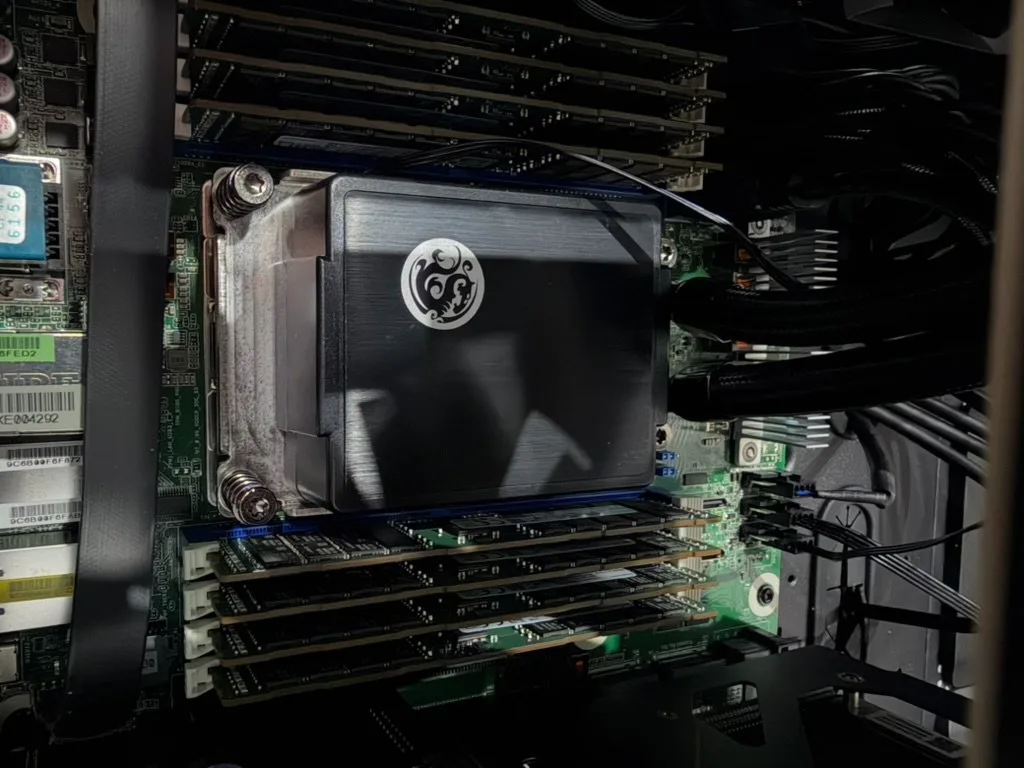
This build started with three requirements. It had to use the newest server platform that still runs DDR4 memory. It had to hold four double-width GPUs without compromise. And it had to live in a case that is easy to work in and keeps everything cool. Every part below was picked to meet one of those three.
The Parts
Why EPYC Rome and DDR4
AMD’s SP3 socket is the last EPYC platform built for DDR4. The next generation, EPYC 9004 on SP5, requires DDR5, and DDR5 registered memory still costs several times more per gigabyte than DDR4. Staying on SP3 is what makes 256GB of ECC memory affordable in this build.
The EPYC 7402P gives up nothing important for a workstation. It has 24 cores and 48 threads, eight memory channels, and 128 lanes of PCIe 4.0 from a single socket. The “P” means it is a single-socket part, which is why it sells for less than the dual-socket 7402. The ROMED8-2T also supports EPYC 7003 (Milan) processors with a BIOS update, so there is an upgrade path on the same board and memory.
Cores and threads, 2.8 GHz base, 3.35 GHz boost.
PCIe 4.0 lanes from one CPU.
DDR4 ECC registered memory.
Room for Four GPUs
Most desktop boards that advertise several x16 slots split the lanes once you fill them, so the third and fourth cards run at x4 or x8. The ASRock Rack ROMED8-2T has seven PCIe 4.0 x16 slots, and every one is wired for the full 16 lanes straight to the CPU. Four double-width cards go in slots 1, 3, 5 and 7, and each one keeps its full x16 link.
The board also covers the basics a server needs: dual 10GbE ports onboard and a BMC with IPMI, so the machine can be powered on, monitored and reinstalled over the network without a monitor attached. It is the same board we used in our quad CMP 170HX server, where it runs four GPUs around the clock.
The Case
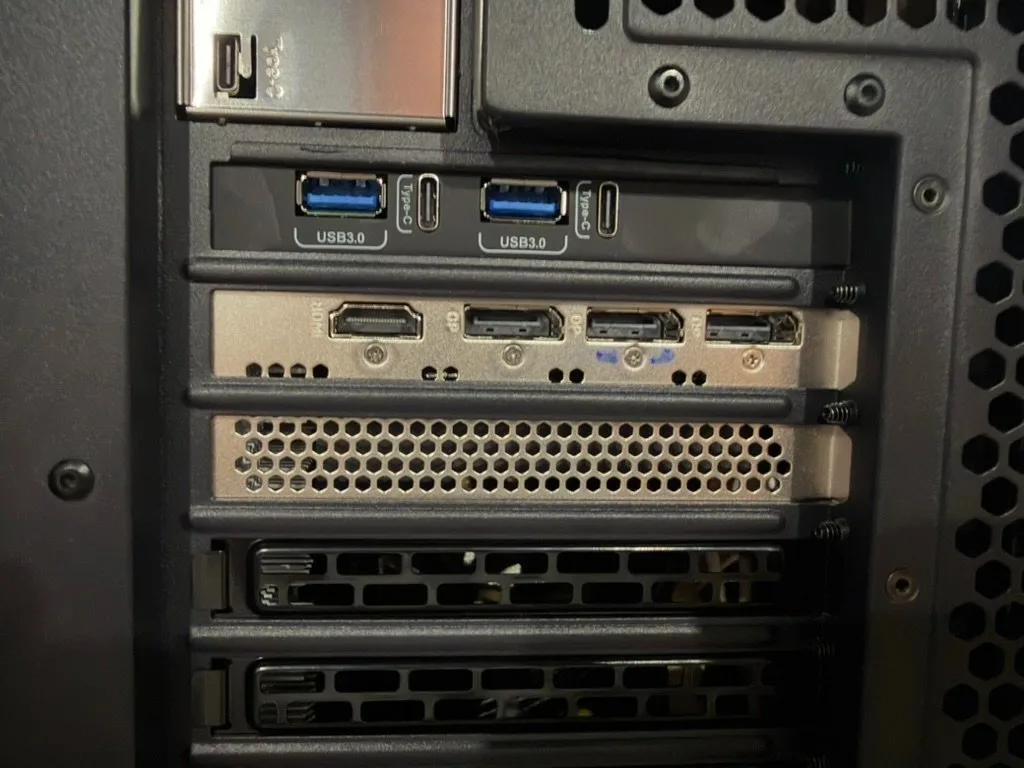
Four double-width cards in slots 1 through 7 means the last card hangs past the board’s edge, so the case needs at least eight expansion slots. The Phanteks Enthoo Pro 2 Server Edition has them, and it was chosen for two more reasons. The interior is open, with wide cable cutouts and a large space behind the motherboard tray, so power and GPU cables route cleanly out of the airflow path. That open layout also leaves plenty of room for fans to move air straight across all four cards and the memory.
CPU cooling is a Bitspower Atlas Threadripper TRX50 AIO liquid cooler. Its large cold plate covers the full EPYC heat spreader, and the radiator moves CPU heat to the top of the case instead of dumping it next to the GPUs.
Power for Four Cards
The power supply was chosen for its connectors. Current high-end GPUs use the 16-pin 12V-2x6 connector (the updated version of 12VHPWR), and many power supplies include only one. This 1300W Titanium unit has multiple native 12V-2x6 outputs, so modern cards connect directly without adapters. Titanium is the highest 80 Plus efficiency rating, which means less wasted heat in the case and lower power bills for a machine that runs all day.
Graphics and Software
An Intel Arc B580 is installed so the machine is usable out of the box, with display output and hardware video encoding. That leaves the other x16 slots open for whatever GPUs the workload needs. The system boots from a 256GB SSD with a fresh install of Proxmox VE, so you can create virtual machines and containers, or pass GPUs straight through to a VM, from the first boot. If Proxmox is new to you, our homelab software breakdown covers how it compares to other options.
What It’s Good For
Proxmox host with GPU passthrough
24 cores and 256GB of memory run a lot of VMs and containers at once, and each x16 slot can pass a GPU straight to its own VM.
Local AI
Add up to four GPUs for LLM inference, image generation or fine-tuning. With 256GB of system RAM, you can offload layers for models that don’t fit in VRAM.
Rendering, compiling and simulation
Blender, large code builds, CAD and scientific workloads all scale across 48 threads and eight memory channels.
Storage and media server
ECC memory for ZFS, dual 10GbE for fast transfers, and the Arc B580 for hardware transcoding in Plex or Jellyfin.
Anything you honestly want it to do
Run a Minecraft server for twelve friends, a home automation stack, and three VMs you forgot about, all at once. It won’t complain. It might not even notice.
Which GPUs Fit
The slots are spaced one apart, so card thickness decides how many you can install. The case has room for long cards, so length is rarely the limit.
Check the power budget as well. Four 300W cards plus the CPU is more than 1300W at full load, so power-limit the cards or choose lower-wattage models when you run all four.
This build has sold. See more photos in our gallery or browse current inventory.
Related: Homelab hardware breakdown and four CMP 170HX cards in one server.