
Homelab Software Breakdown: Operating Systems, Virtualization, and Containers
Sep 06, 2026 · 6 min read
Once you pick your hardware, the next step is choosing the software engine that brings it to life. Whether you want to turn a mini PC into a media server or partition an enterprise server into several test environments, picking the right software foundation makes all the difference.
| Software Option | Core Purpose | Difficulty | Best For |
|---|---|---|---|
| Proxmox VE | Type-1 Hypervisor | Moderate | Running multiple isolated virtual machines on a single physical host |
| TrueNAS SCALE | Storage-focused NAS OS | Moderate | Managing hard drive pools, file backups, and network shares |
| Ubuntu Server | Bare-metal Linux | Low | Running Docker containers directly on hardware without virtual machines |
| Docker & Portainer | Application Containerization | Low | Deploying lightweight apps (Plex, Pi-hole, Nextcloud) in seconds |
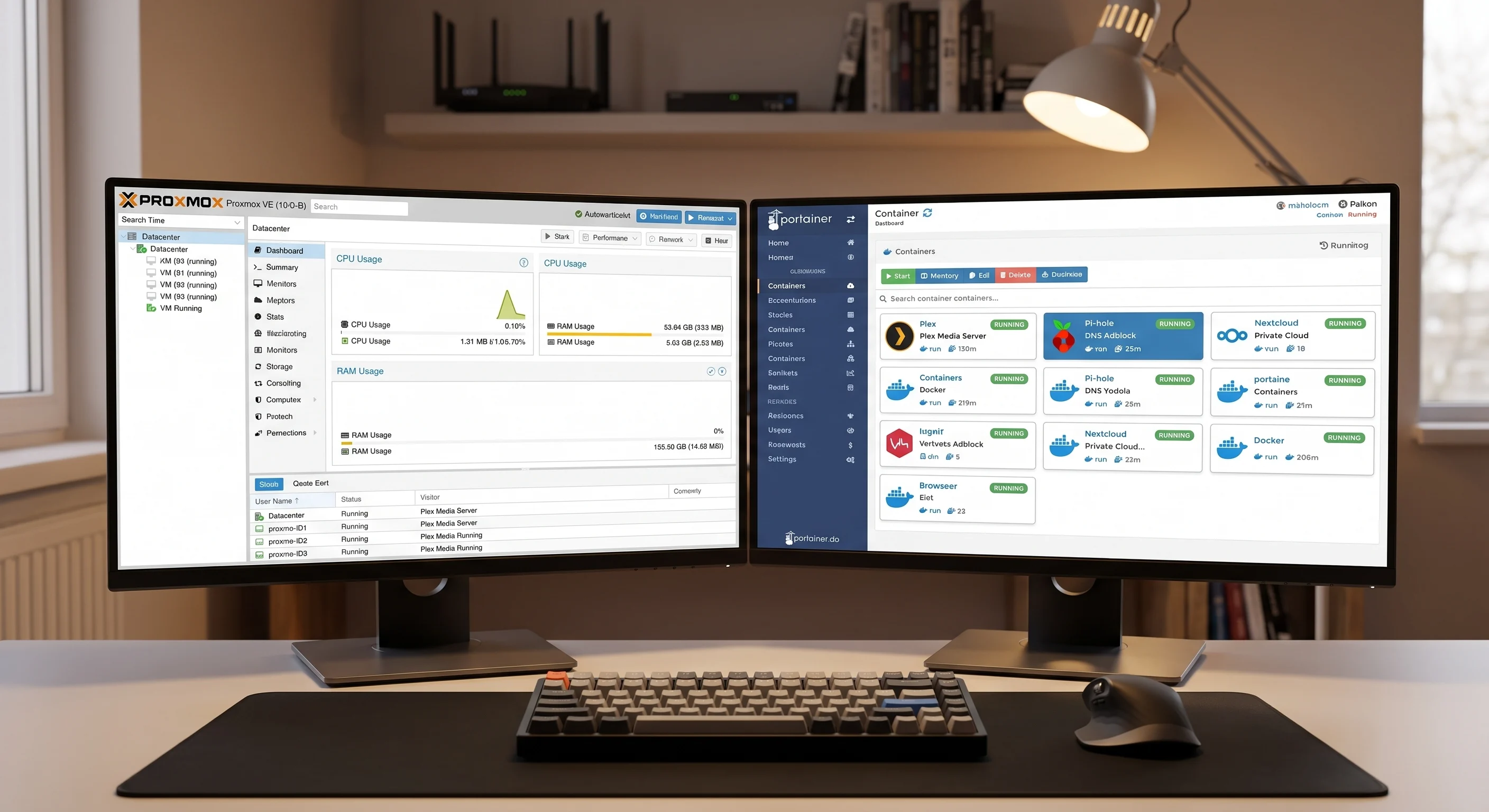
Virtual Machines vs. Containers: What's the Difference?
Understanding how server software organizes tasks usually comes down to two main technologies: Virtual Machines (VMs) and Containers (Docker).
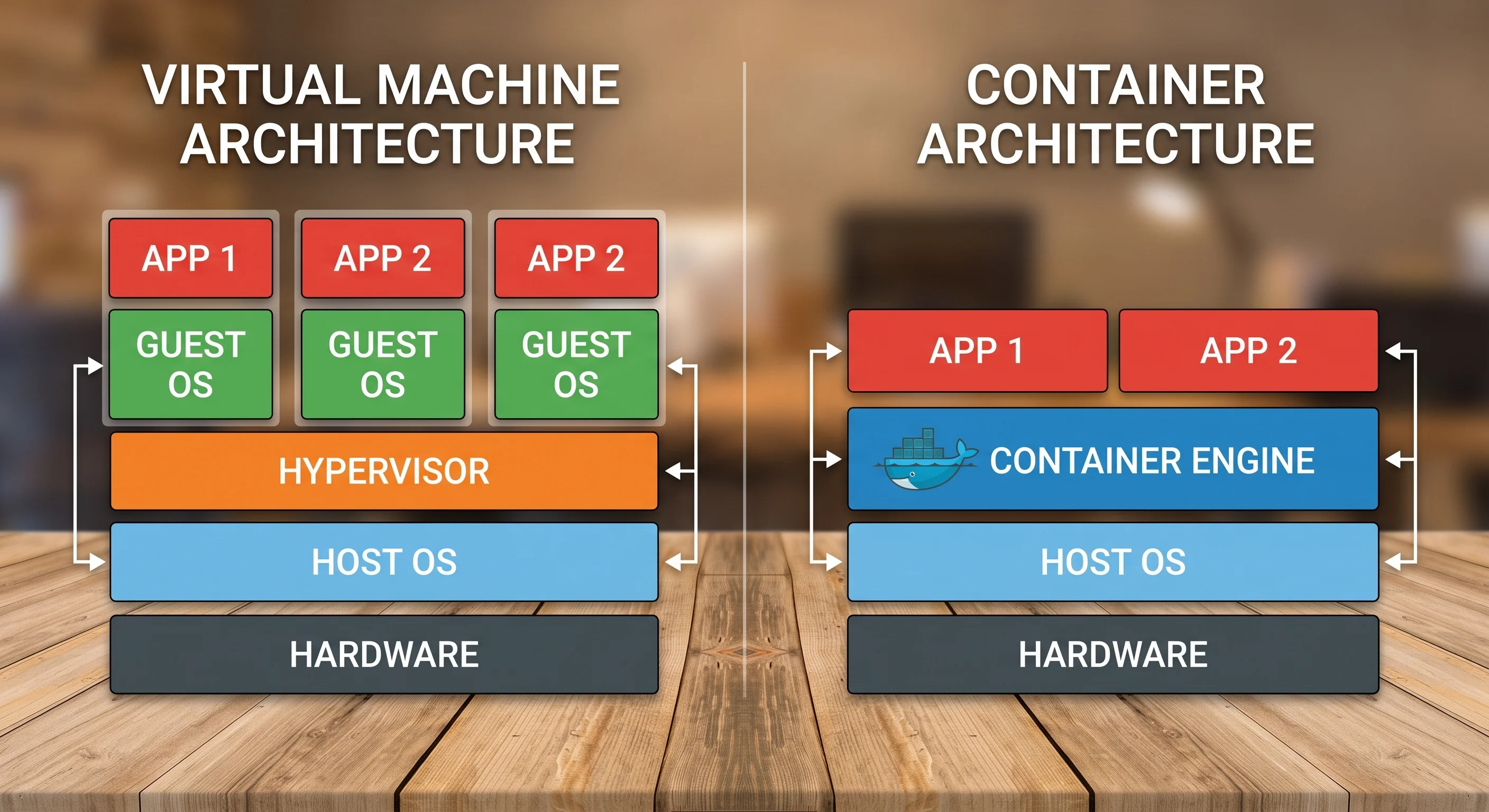
- Virtual Machines (VMs): A hypervisor like Proxmox VE lets you slice up one physical computer into multiple "virtual" computers. Each VM acts like its own standalone PC with its own operating system. If one VM crashes or gets infected with malware, it remains completely isolated from the rest of your server.
- Containers (Docker): Instead of virtualizing an entire operating system, containers package a single application along with only the specific files it needs to run. Docker containers launch almost instantly and consume a tiny fraction of the memory that a full VM requires.
How to Choose Your Starting Stack
Your software stack should match your primary goal rather than what looks most complex on tech forums.
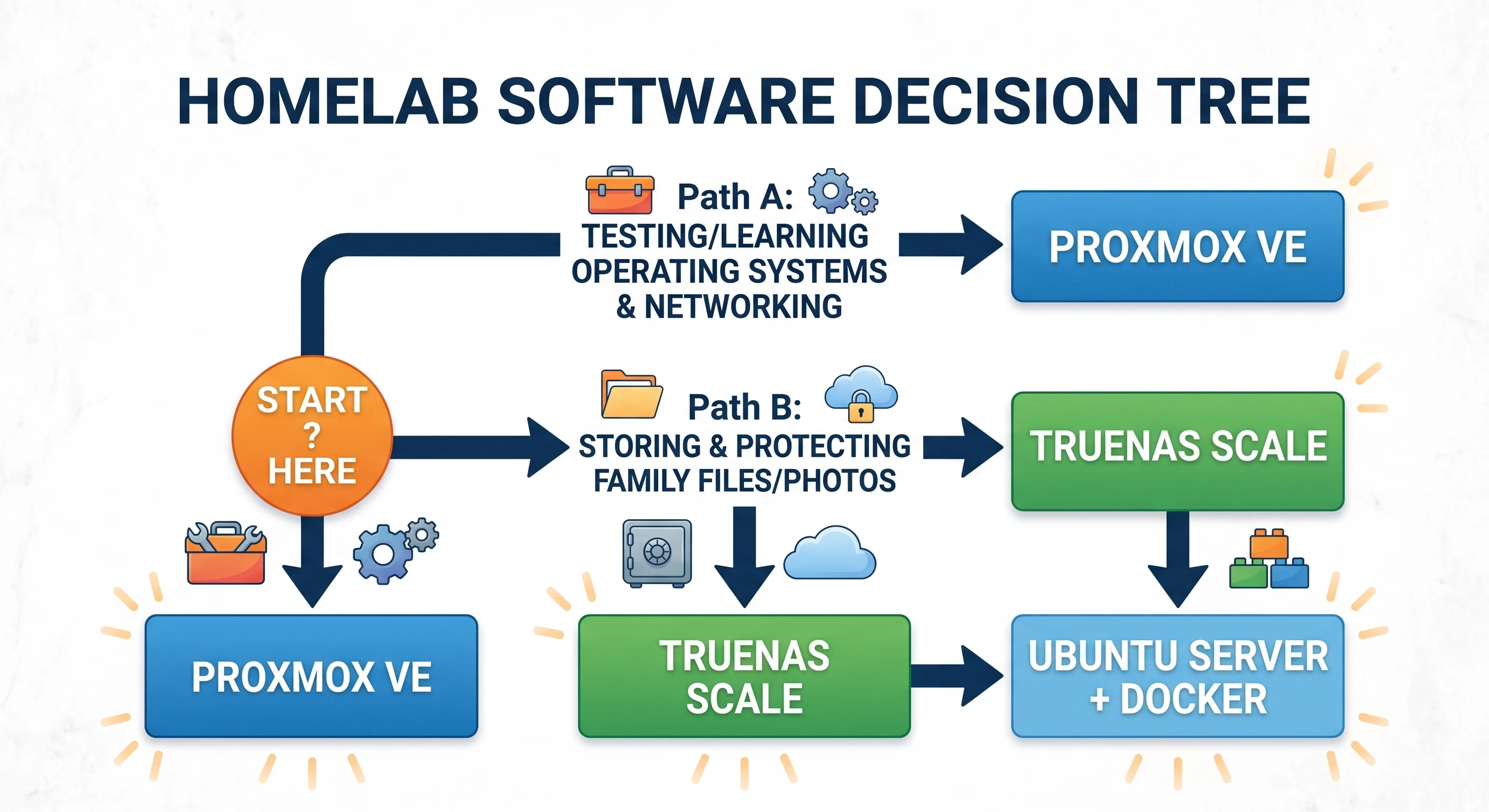
- Path A: The Experimenter (Proxmox VE): Choose Proxmox if you want to test different operating systems, learn networking, and run multiple distinct environments on one machine. It gives you maximum flexibility to create, back up, and destroy virtual labs.
- Path B: The File & Media Hoarder (TrueNAS SCALE): Choose TrueNAS if your main priority is protecting family photos, backing up laptops, or streaming movies. It uses the powerful ZFS file system to guard against drive failure while letting you host media apps.
- Path C: The Simple Self-Hoster (Ubuntu Server + Docker): Choose Ubuntu Server with Docker if you just want useful apps up and running fast. It requires minimal overhead, sits quietly on almost any hardware, and keeps your system simple to manage.
See What’s Available Now
You have the plan. Here is the tested enterprise hardware we currently have on the bench, with prices and full build sheets.
Read next →